A local manager for your video collections
Built up a big collection of videos and no good way to browse it? Loshelf is a fast, private video collection manager. Point it at your folders and it turns a pile of clips, recordings and downloads into a beautiful, searchable library, with hover previews and a proper built-in player, all on your own machine.
Built for big collections
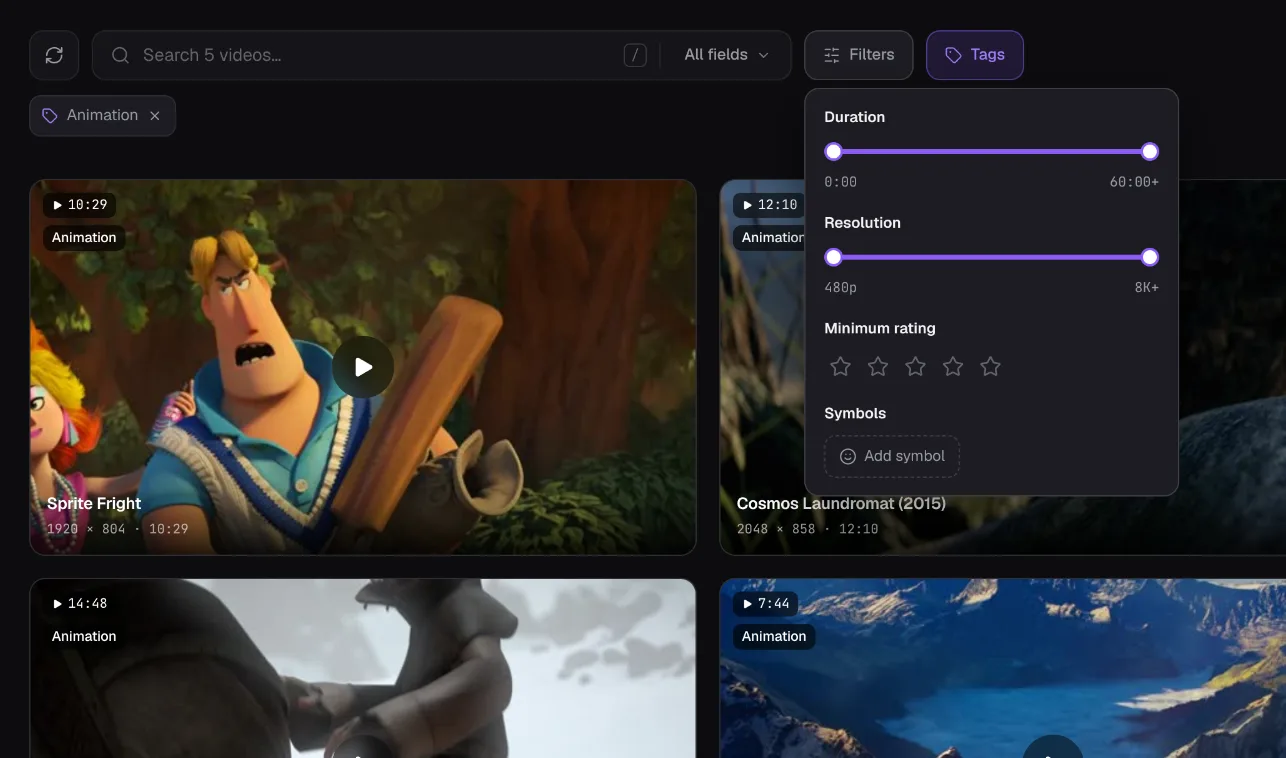
Loshelf stays fast whether you have a few hundred clips or many thousands, across dozens of folders and drives.
See every clip on hover
Video cards play short previews as you hover, so you know what a clip is without opening it.
Every folder is a gallery
Give any folder a cover and a banner so your collection browses like a shelf of galleries, not a plain file tree.
A player built in
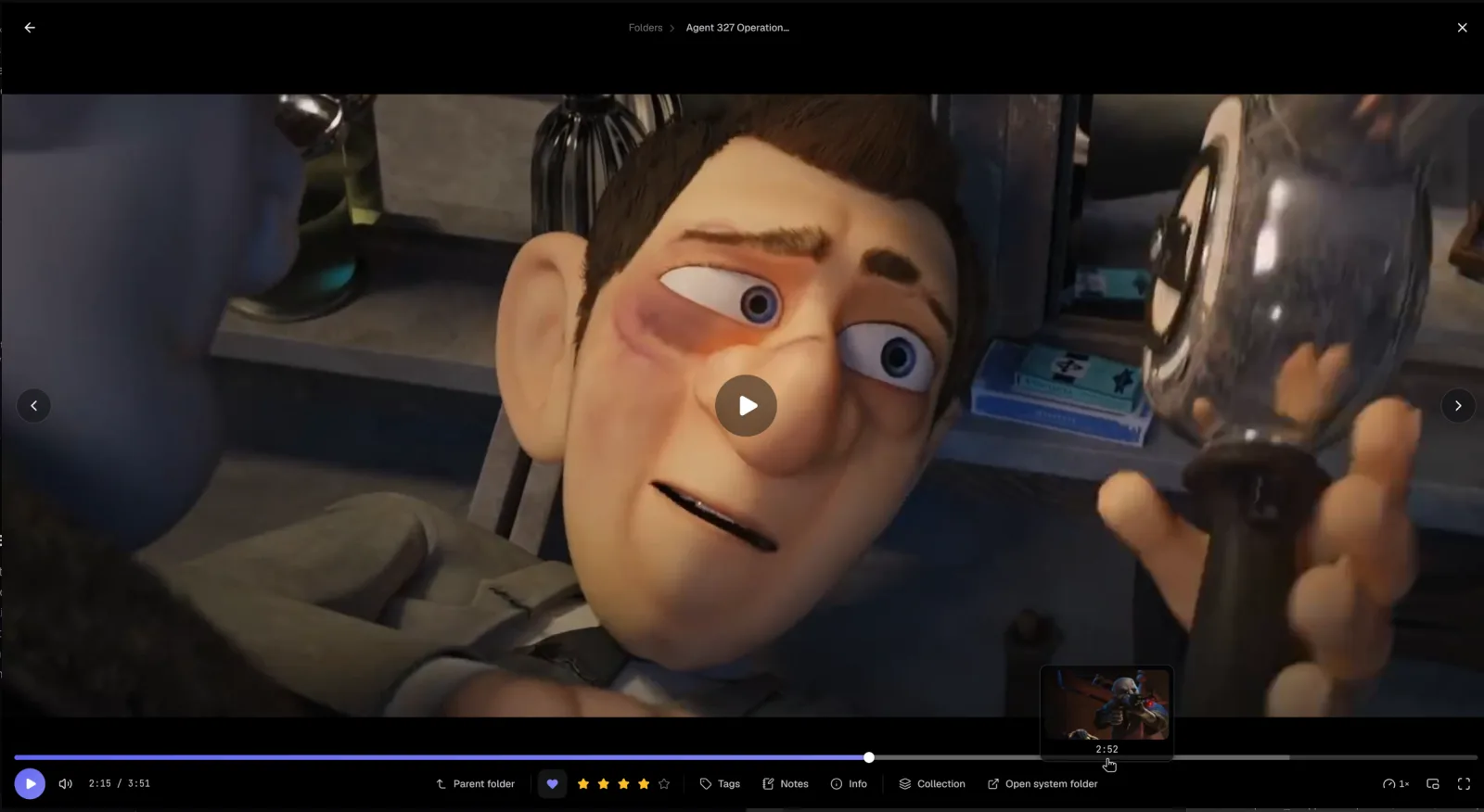
Scrub, change playback speed, pop out into picture-in-picture, and pick up right where you left off.
Plays awkward formats
WMV, AVI, MPG, FLV and older MKV and MOV files play directly in the built-in player, with seeking and no conversion step or codec pack.
Your own custom fields
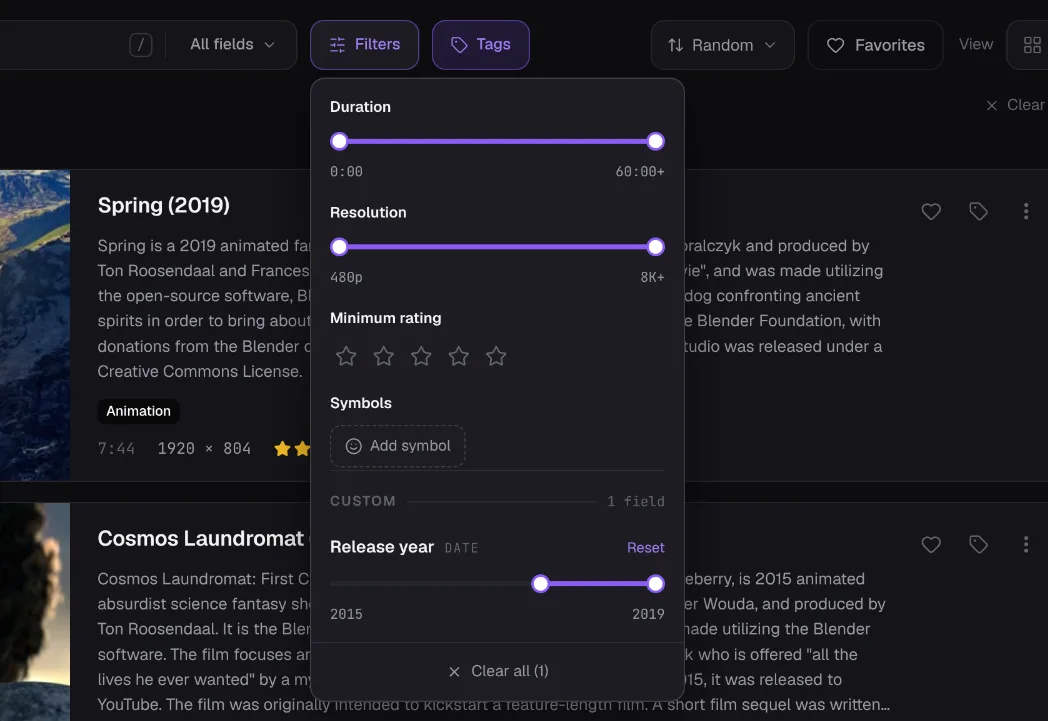
Add fields like Year, Studio, Genre or a Watched yes/no, then filter your whole collection by them right in the search bar.
Find exact duplicates
Track down byte-for-byte duplicate clips and clear the extras to the Recycle Bin, reclaiming space in a bloated collection.
Local and private
Everything stays on your own machine. No cloud, no account, no uploads, no tracking.
See every clip before you open it
A player built for your collection
Find any clip in a huge collection
Organize it your way with custom fields
More than home videos
Loshelf is at home with movies, recordings, downloads, screen captures, gameplay footage or any large video collection you’ve built up. If you have clips scattered across folders and drives and want one beautiful, private place to browse and organize them, that’s exactly what it’s built for. Your photos are welcome too, they get exactly the same treatment as your videos.
Questions
What is the best way to manage a large video collection?
Keep the files on your own disk and use a local manager like Loshelf to browse and organize them in place. Loshelf reads your existing folders, builds a fast, searchable library on your PC, and never uploads anything.
Can Loshelf play WMV, AVI and MKV files?
Yes, and without converting them first. Loshelf has its own built-in decoder, so WMV, AVI, MPG, FLV and older MKV and MOV files play directly in the app with normal seeking. No codec pack and no external player needed. For the rare file the decoder can't read, Loshelf converts it in the background, or opens it in your system player if you prefer.
Can I browse videos without opening each one?
Yes. Every video card plays short hover-to-play previews pulled from across the clip, and the timeline shows a live frame preview as you scrub, so you can find the right moment fast.
Can I add my own fields, like a year or a studio?
Yes. Loshelf lets you define your own custom fields, such as Year, Studio, Genre or a Watched yes/no, as a number, date, text, dropdown choice or link. Each field becomes a filter in the search bar, so you can organize your collection exactly how you think about it.
Is Loshelf free?
Yes. The free version covers one library of up to 10,000 files. A one-time $29 (no subscription) unlocks unlimited libraries and files.
Does it work offline?
Yes. Loshelf runs entirely offline, with no account and no connection required to browse, play, tag or search your collection.
Free for 1 library of 10,000 files · one-time $29 for unlimited