A private, offline photo organizer for Mac
Want to organize the photos and videos on your Mac without handing them to iCloud? Loshelf is a fast, private, offline photo and video organizer for macOS. It works with the folders you already have, keeps everything on your own machine, and makes even a huge library a pleasure to browse.
100% offline and private
Your photos never leave your Mac. No account, no iCloud, no uploading, and no tracking.
Works with your existing folders
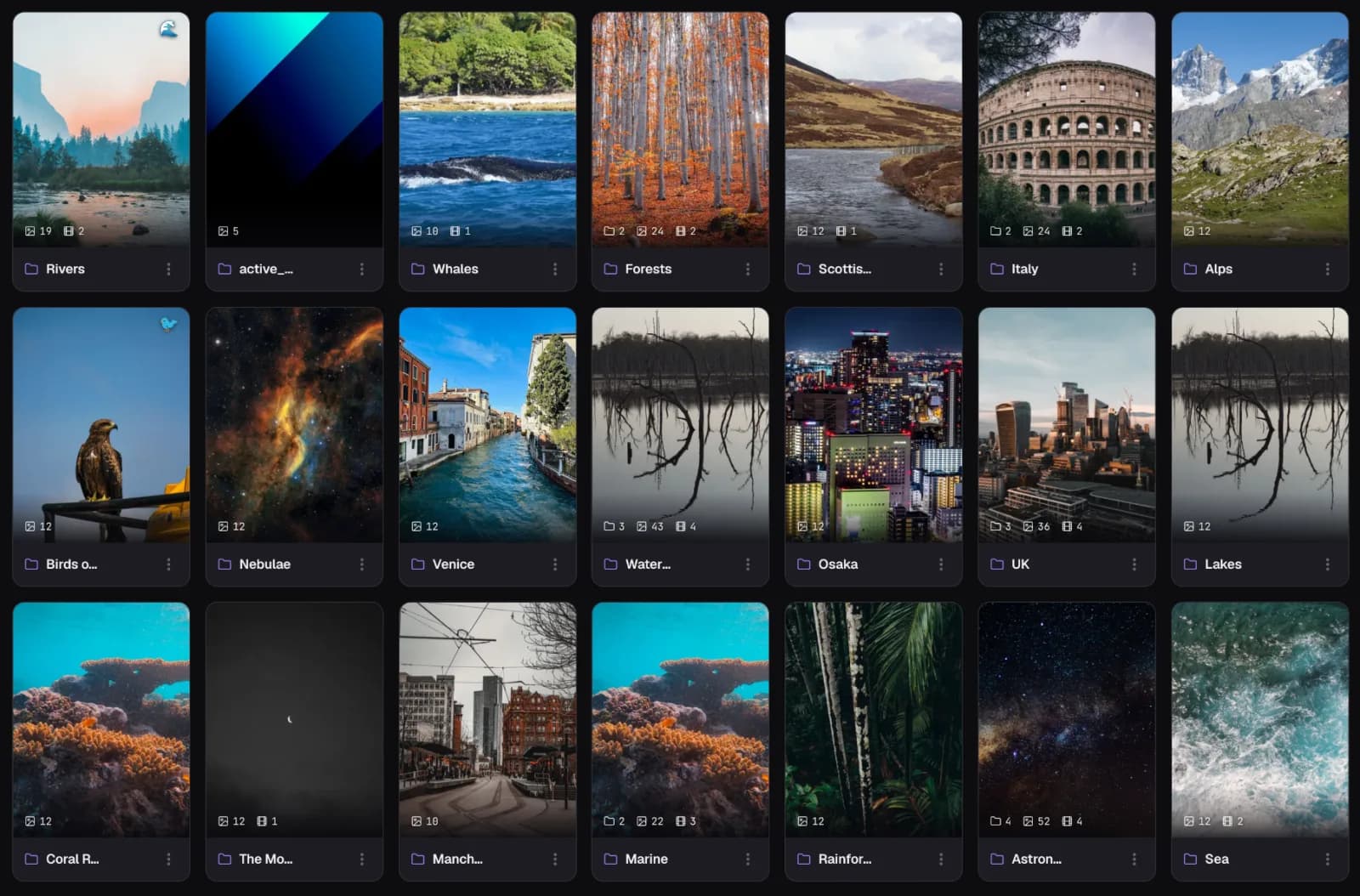
Loshelf organizes the folders you already have in place, on your Mac or an external drive, instead of importing everything into its own library.
Native on Apple Silicon
Built for M1 and newer Macs, signed and notarized by Apple, so it opens without a security warning.
Photos and videos together
One library for both. Hover-to-play previews, a built-in player, and notes you can pin to a moment.
Powerful search and tags
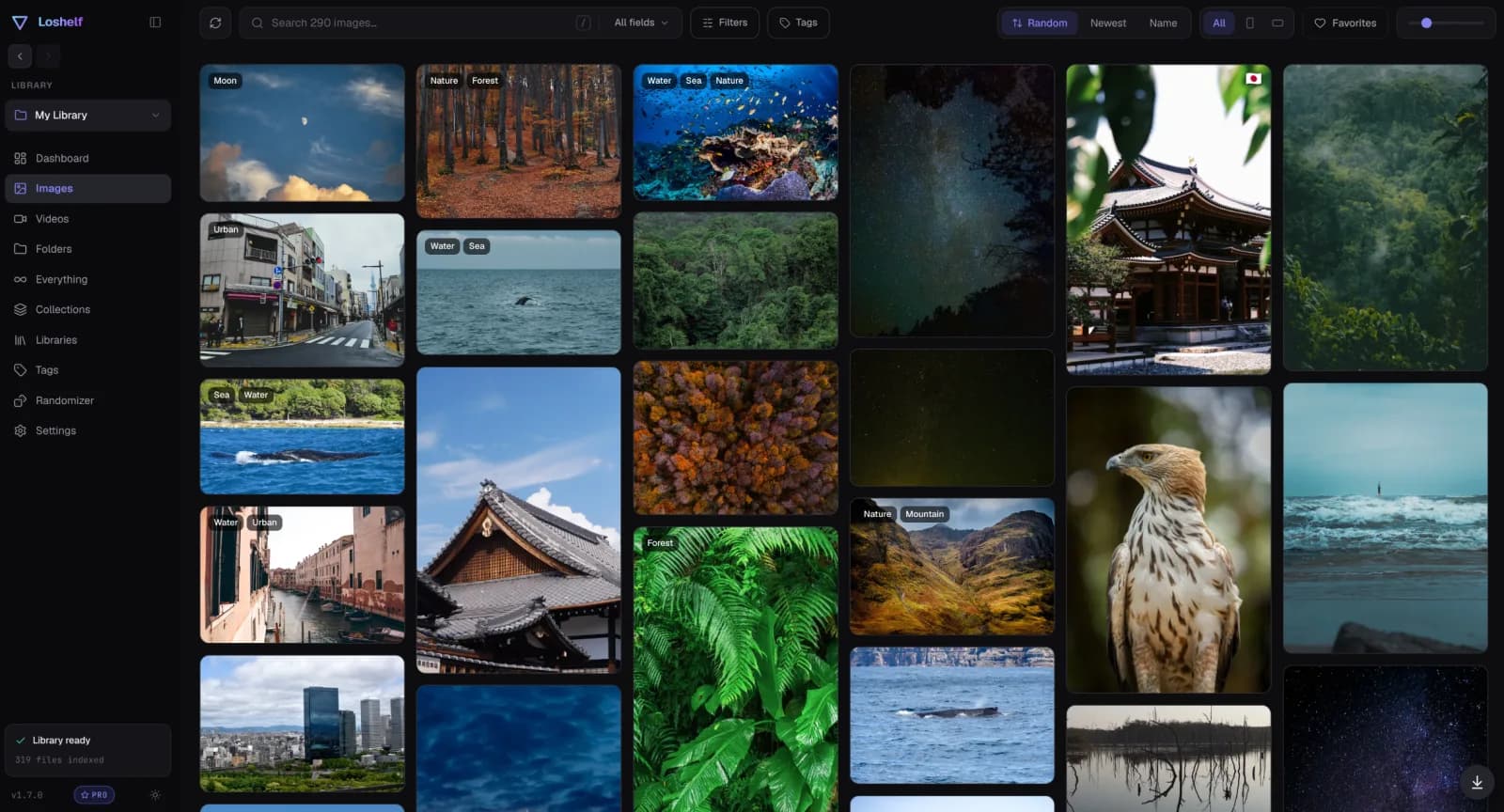
Tag, rate and favorite your photos, then filter by tag, rating, resolution, orientation and more.
Built for big libraries
Stays fast whether you have a few hundred photos or a million across several drives.
Your whole library, beautifully browsable
Your folders stay your folders
Why not just use Apple Photos or Finder?
Apple Photos is excellent if you want your whole collection living inside its own library and synced through iCloud. It is less happy when your photos are plain files in folders, especially on an external drive, and iCloud storage becomes a subscription as your collection grows. Finder is a file manager, not a photo organizer: its tags are a handful of colors, and there are no ratings, no filters by resolution or orientation, and no way to search a collection spread over several drives. Loshelf organizes the photos already on your disk, fully offline, with a one-time price and no account.
Questions
Is there a free offline photo organizer for Mac?
Yes. Loshelf has a genuinely free version that covers one library of up to 10,000 photos and 1,000 videos. A one-time $29 (no subscription) unlocks unlimited libraries, photos and videos.
How do I organize photos on a Mac without iCloud?
Point Loshelf at your photo folders and it builds a private, searchable library right on your Mac. It reads your existing folders in place, including folders on an external drive, and never uploads anything.
Does it need an internet connection?
No. Loshelf runs entirely offline. There is no account to create and no connection required to browse, tag or search your library.
Which Macs does it support?
Loshelf runs on Apple Silicon Macs (M1 or newer) with macOS 11 or later. There is no Intel Mac build at the moment. Windows and Linux builds are also available.
How do I install it?
Download the .dmg, open it and drag Loshelf into your Applications folder. The app is signed and notarized by Apple, so there is no Gatekeeper warning. When you add a library, macOS may ask permission to access folders such as Desktop, Documents or an external drive.
How does it handle videos?
Videos sit alongside your photos in the same library. You get hover-to-play previews, a built-in player that remembers where you left off, and notes you can pin to a specific timestamp.
Free for 1 library of 10,000 photos and 1,000 videos · one-time $29 for unlimited